HP Prodesk 600 G3 SFF PSU Replacement
July 2026
Recently, I've got my hands on a cheap and old HP ProDesk 600 G3 SFF PC with an Intel i5-7500 that I want to use as a server.
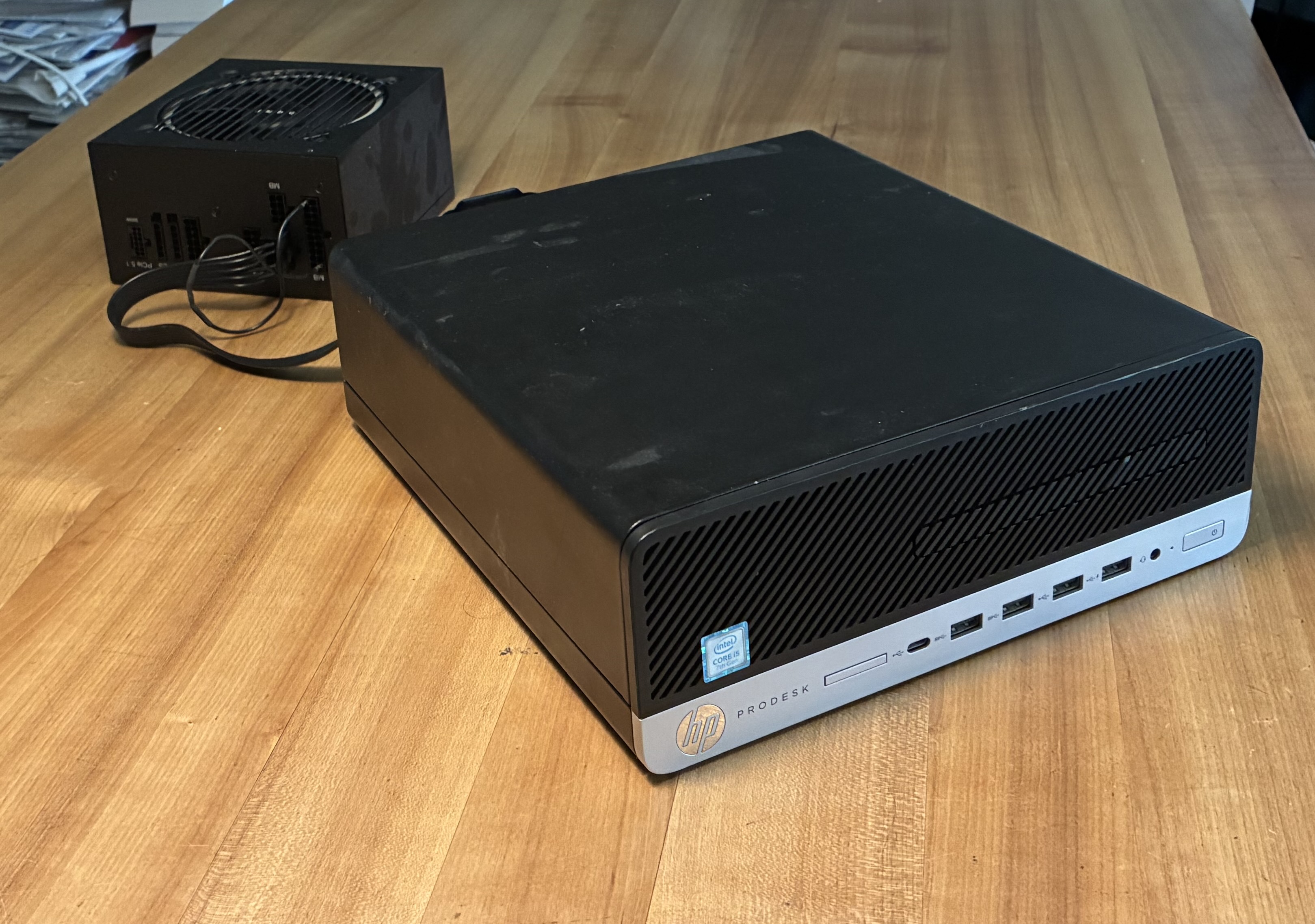
Since that device will be running 24/7, I decided to measure the power consumption so I can compare the cost of running a server at home to renting a server in the cloud (see my power calculator) To my surprise, the device was pulling well north of 30 watts when turned off, but still plugged into the socket.
At some point, I decide to measure the power draw of the PSU alone with the mainboard disconnected. It turns out the PSU is horribly inefficient at these loads, still pulling more than 25 watts. In addition, the tiny PSU fan is really loud and annoying.
So, I've decided to replace the PSU. This sounds easier than done: The SFF in the name stands for small form factor, but it might as well mean proprietary, not compliant with any standard, and undocumented.
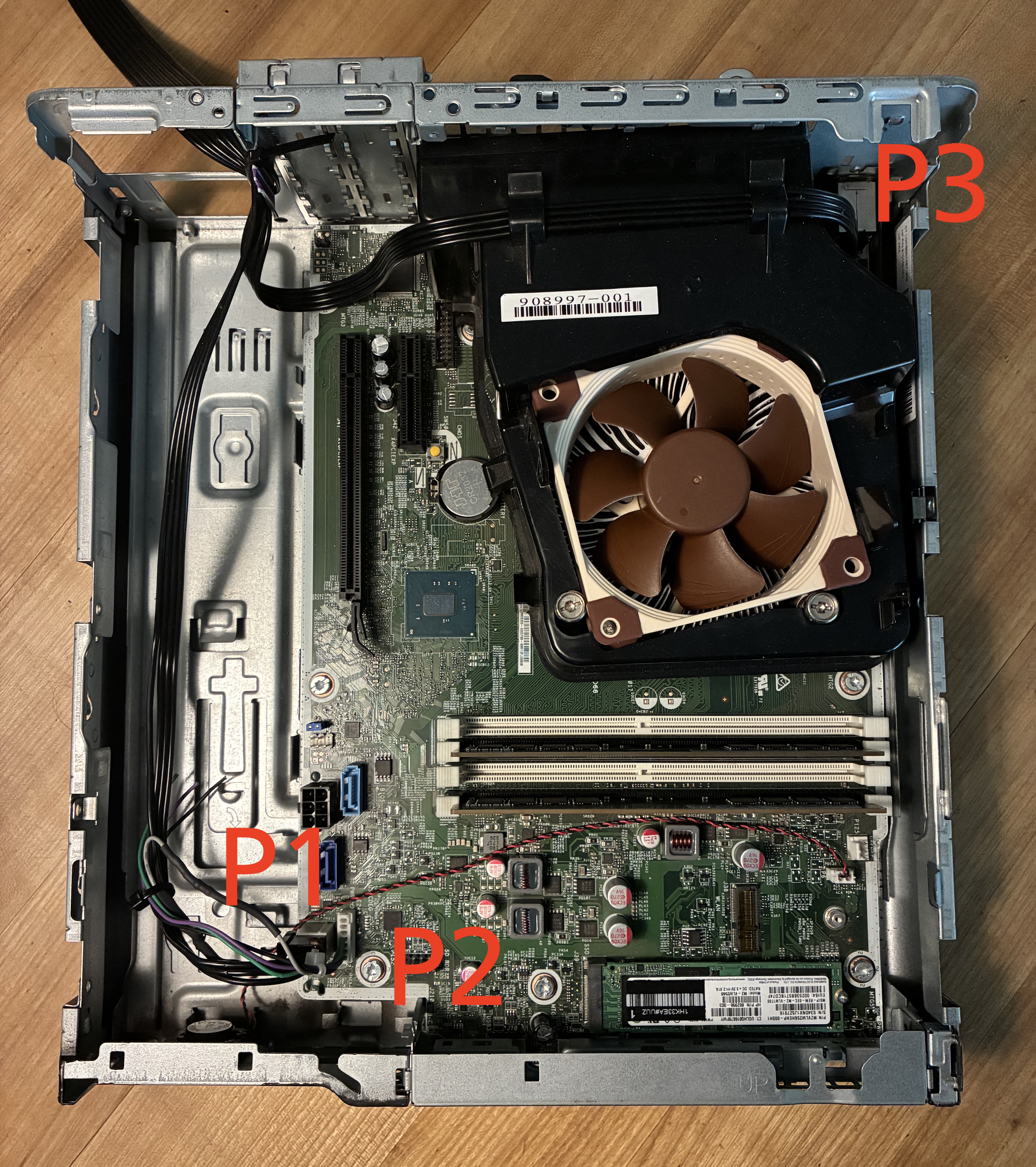
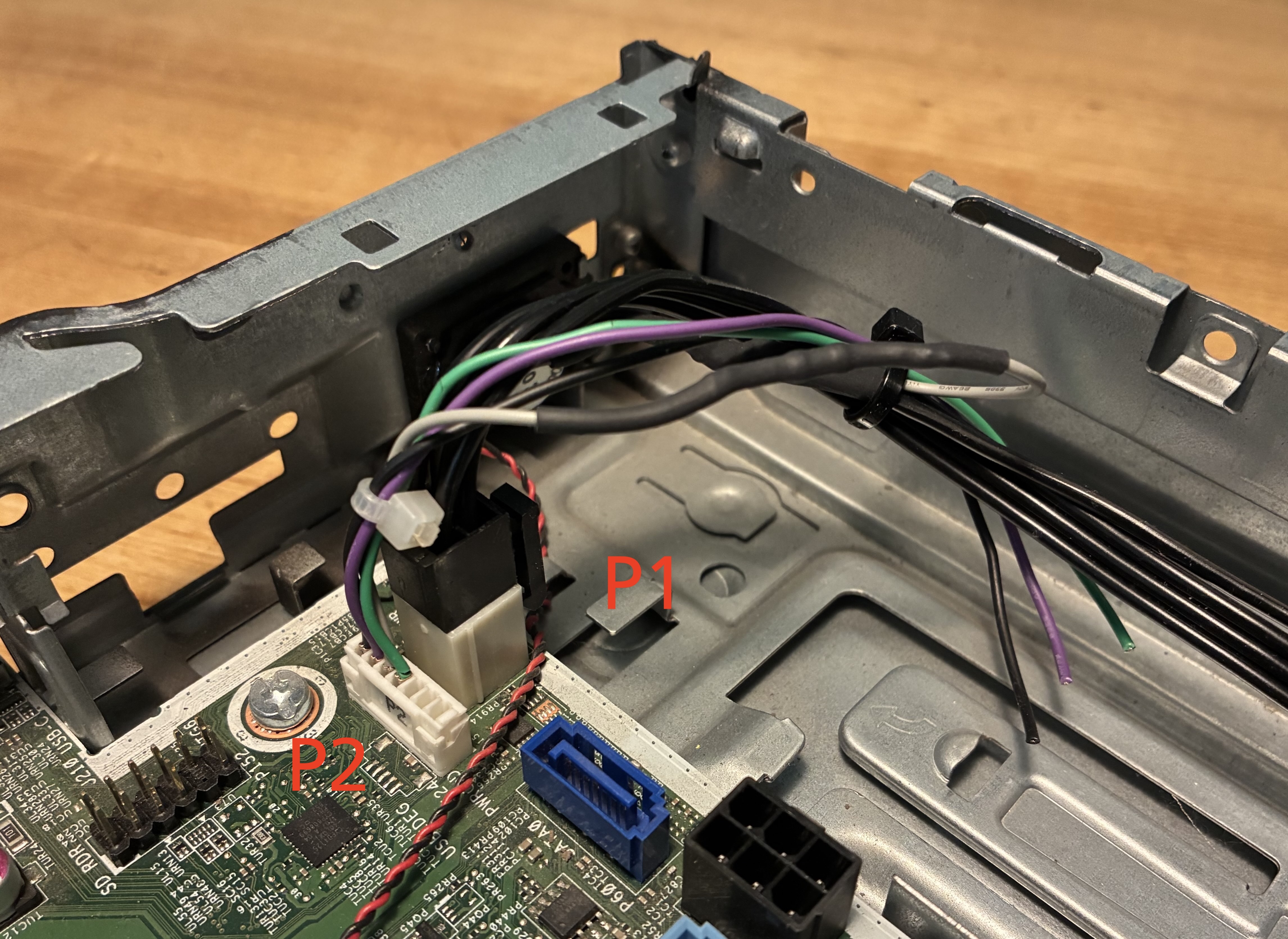
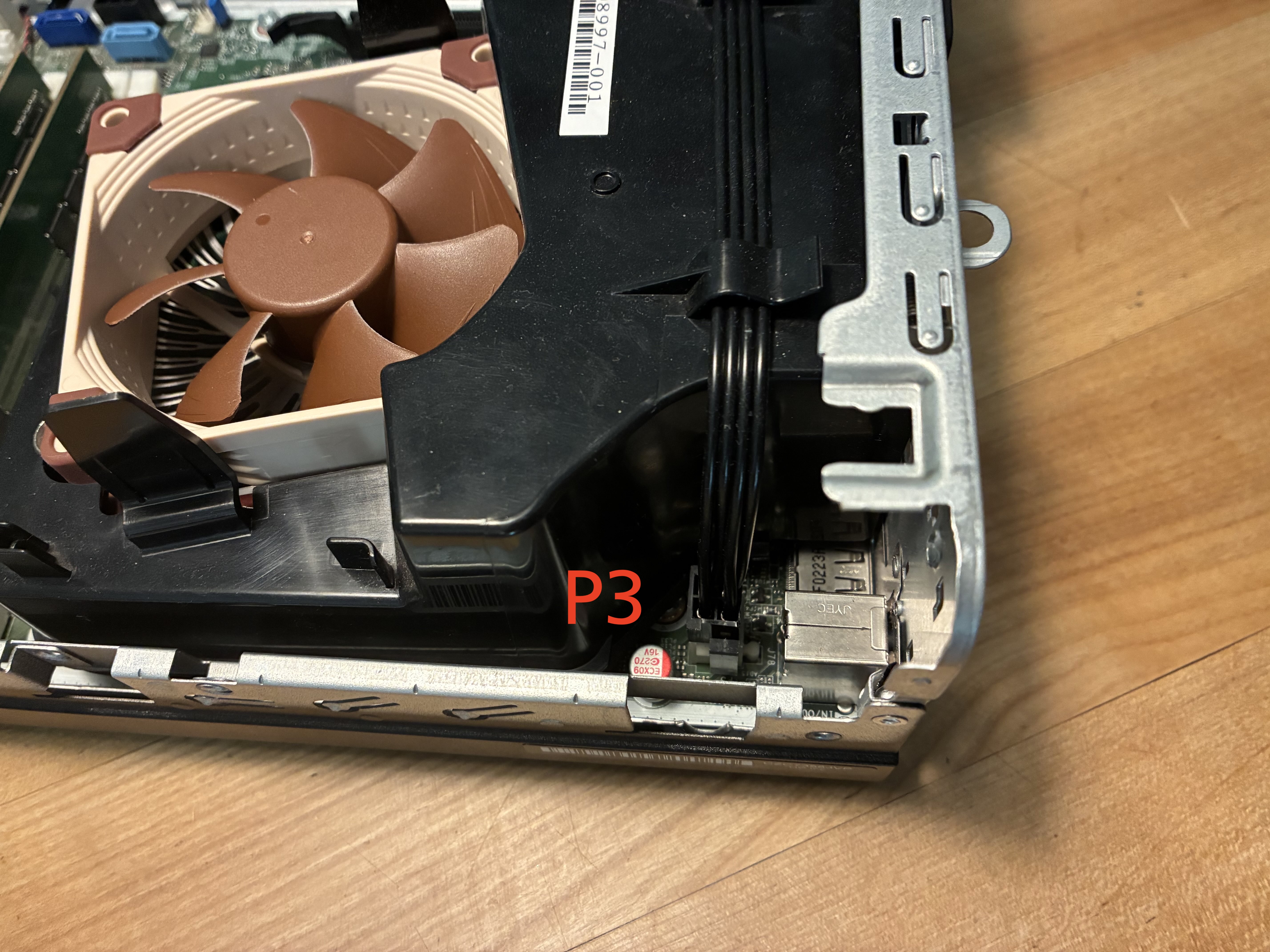
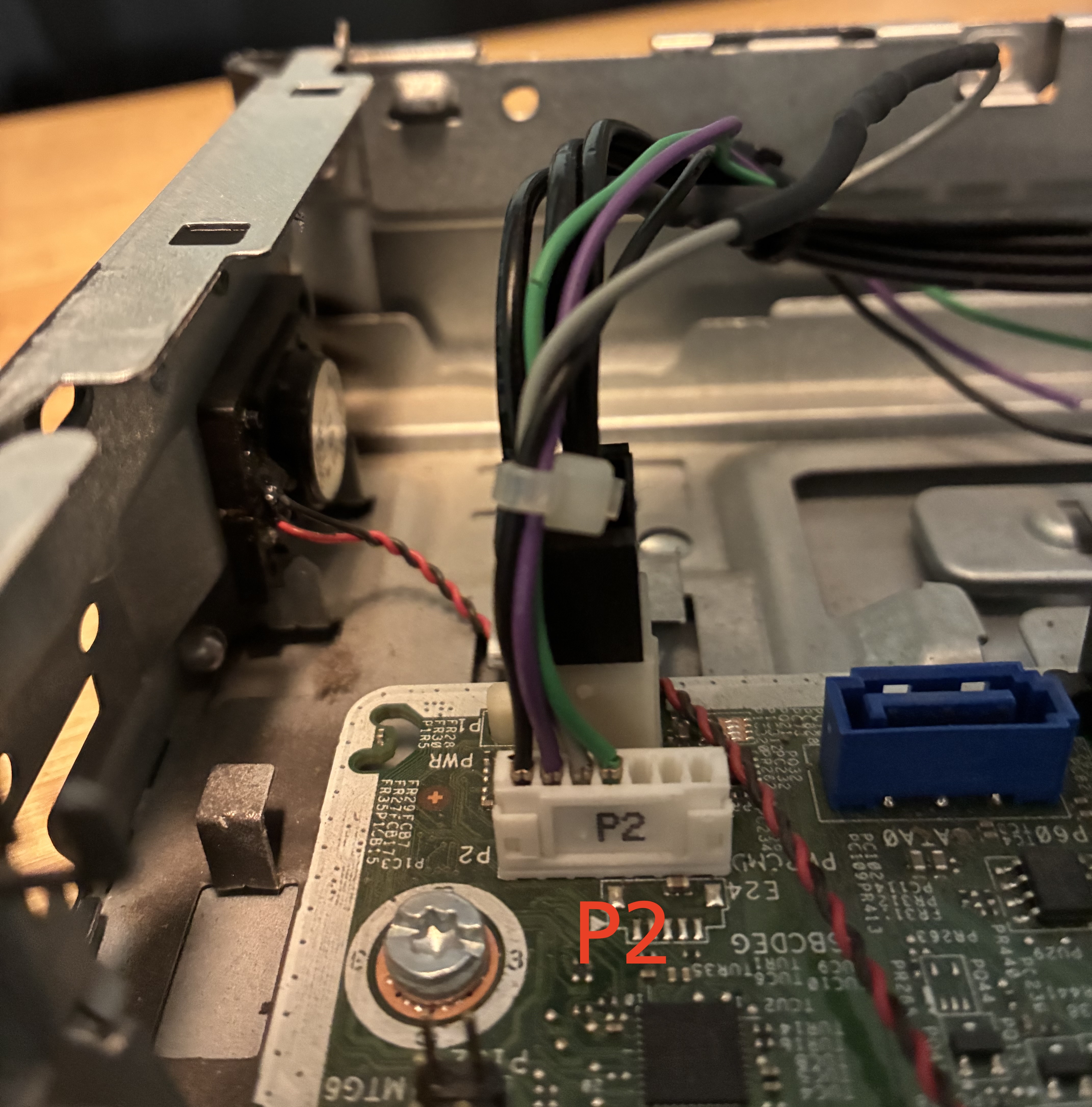
The PSU to mainboard connection consists of three cables: First, there are two 4-pin molex connectors that look like normal ATX 12V 4-pin CPU power connections. With a multimeter, I was able to confirm this. Interestingly, these connectors are powered even when the computer is shut down, so it seems like the PSU never really turns off. These connectors are labeled P1 and P3. Additionally, there is a small 7-pin JST PHR header labeled P2. Of the seven pins, only four connect to a cable. I could identify one of them as GND and one as PS-ON, but the other two didn't seem to match anything you usually find on an ATX PSU, so I was kind of stuck.
Fortunately, there are some people on the internet that have already reverse-engineered the 7-pin header [1] [2].
With a multimeter, I could quickly check that this is also the case for my PC. I've summarized the findings below.
HP's proprietary PSU connector standard
The full pinout of the PSU connection on the mainboard of my HP ProDesk 600 G3 SFF is the following:
- P1, P3: Standard ATX 12V P4 CPU power connectors. They contain two 12V and two GND wires each.
-
P2: The small JST PHR 7-pin header.
- black: GND
- purple: POWER METER, carries an analog voltage proportional to the power consumption of the system
- grey: PSU-ID, used to identify the PSU. The PSU must connect this through a resistor to 12V. In my case, the resistor was 392K, but I'd recommend to measure this by completely disconnecting the PSU and then measuring the resistance from PSU_ID to GND.
- green: PS-ON, pulled low by the mainboard when the computer is running.
Crucially, the computer will boot just fine if it has 12V on P1 and P3, and if PSU-ID is connected. It is therefore enough to use any 12V source that can provide enough power.
Mod to connect an ATX PSU
In the future, I might want to add PCIe cards, or I might build a new system and reuse most components, so I decided I want a real ATX PSU and not a random 12V power supply. The issue with that is that ATX PSUs have a standby state where power is turned off on the 12V rails and only 5V is available. Leaving standby requires the mainboard to pull PS-ON low, but on my machine that only works if we already have 12V. [1] has shown that it is possible to build an adapter using step-up converters and a relay. However, since I want to use the machine as a server, I don't actually care about a working standby, the machine is always on. Always-On is easier to achieve, you can just short PS-ON to ground on the PSU side.
When choosing an ATX PSU, make sure that its P8 12V CPU cable is split into two P4 cables. I've used a be quiet! Pure Power 13M 550W. 550W is a bit overkill, but it works.
Connecting the PSU
The mainboard's P1 and P3 12V P4 power connectors are directly wired to the PSU's 12V P4 CPU connectors as on a regular PC.
To get the PSU out of standby mode, I've shorted PS-ON to GND. The pinout image on wikipedia can be used to find which pins to connect. Note for modular PSUs: Even if the PSU uses a standard ATX connector on the PSU side, the pinout CAN BE DIFFERENT from what is found on the mainboard side. Either short PS-ON on the mainboard side of the 24-pin cable with the 24-pin cable plugged into the PSU, or trace the 24-pin cable with a multimeter to find out if it is remapped. I've extracted some molex crimps from a spare GPU power cable to make this short.

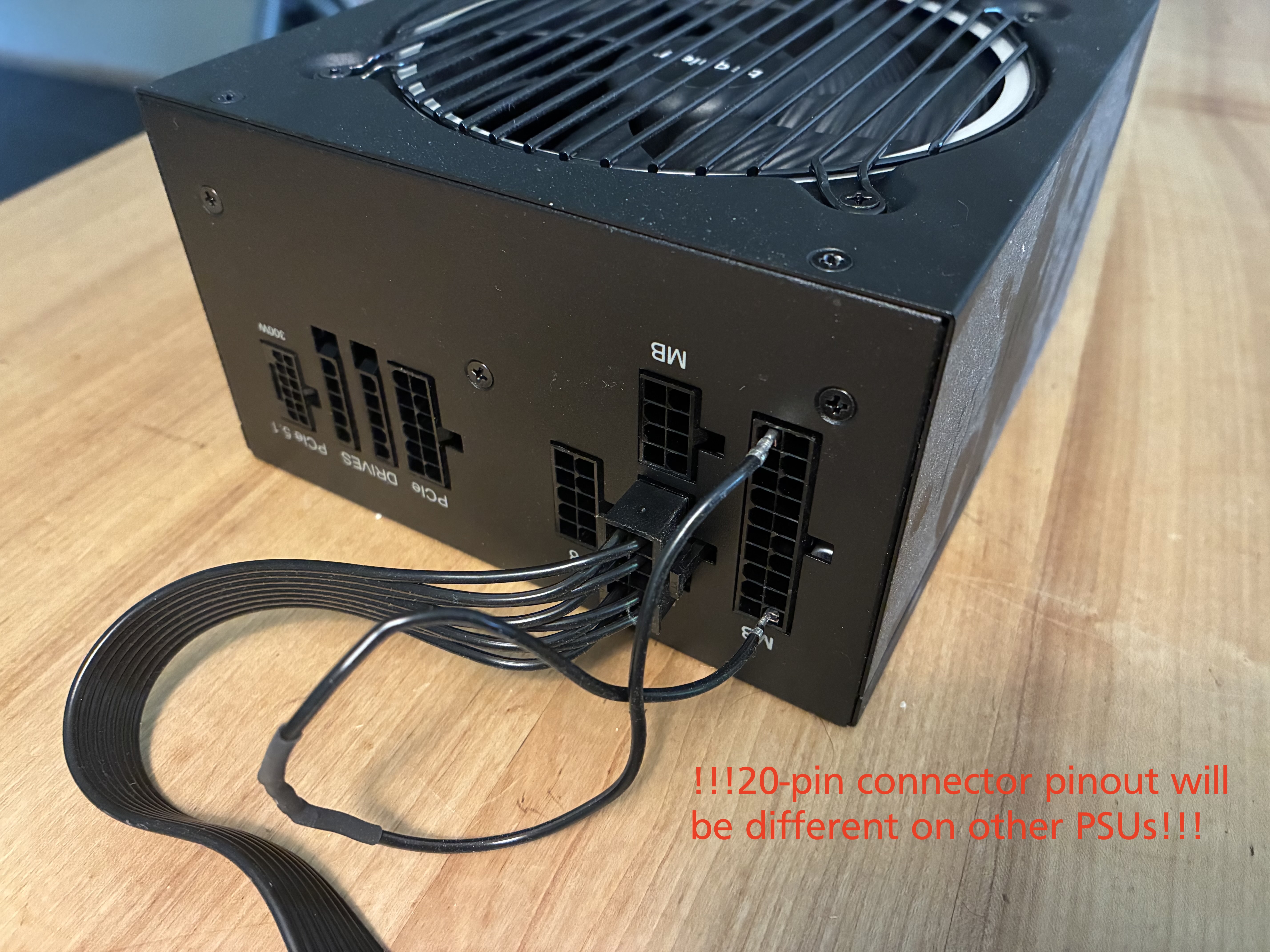
On the P2 header, I've left all but PSU-ID (grey) disconnected. Since P1 is right next to P2, I've spliced a connection into that 12V cable to connect a 392k-resistor to PSU-ID.
The system works. It pulls less power while idle and is way quieter than it used to be. The only downside is that an ATX PSU no longer fits the case because of the special form factor of the old proprietary PSU.